Embed in Website
Quick Start
Add this script tag to your site’s <head>:
<script src="https://app.marseil.ai/embed.min.js" project-id="<your_project_id>" async></script>
Get your project-id from Settings. That’s it — the widget shows up as a floating chat button in the bottom-right corner.
Identify Users (Optional)
If your app already knows who the visitor is, you can pass their details so they show up in chat history. Set the window.MARSEIL object before the page finishes loading:
<script>
  window.MARSEIL = {
    userId: "unique-user-id",
    additionalFields: {
      userEmail: "user@example.com",
      name: "Jane Doe",
      avatarUrl: "https://example.com/avatar.jpg"
    }
  }
</script>
| Field | What it does |
|---|---|
userId | Unique identifier for the visitor. Shows in chat history. |
additionalFields.userEmail | Visitor email address. |
additionalFields.name | Visitor display name. |
additionalFields.avatarUrl | Avatar image URL. |
You only need userId — the rest are optional.
Framework Notes
The script tag goes in <head> for all frameworks. A few need something extra:
React / Next.js — Use react-helmet to inject the script:
import { Helmet } from "react-helmet";

<Helmet>
  <script src="https://app.marseil.ai/embed.min.js" project-id="<your_project_id>" async />
</Helmet>
Set window.MARSEIL inside a useEffect so it runs on the client.
Angular — Set window.MARSEIL in ngOnInit:
ngOnInit() {
  (window as any).MARSEIL = {
    userId: "unique-user-id",
    additionalFields: { userEmail: "user@example.com", name: "Jane Doe" }
  };
}
WordPress — Use the WPCode plugin. Add a JavaScript Snippet, set insertion to Header, paste the embed script.
Webflow, Wix, Squarespace — Any builder that lets you insert <script> tags works. Add the script to the site-wide head section.
Troubleshooting
Widget not visible: Check that the <script> tag is present in the HTML source.
Project not found: Verify your project-id is correct (from Settings).
Users not identified: Open DevTools → Console. You should see:
⚙️ Initializing Marseil chat agent
⚙️ Marseil chat loaded
If the logs appear but user data isn’t coming through, make sure window.MARSEIL is set before the page finishes loading.
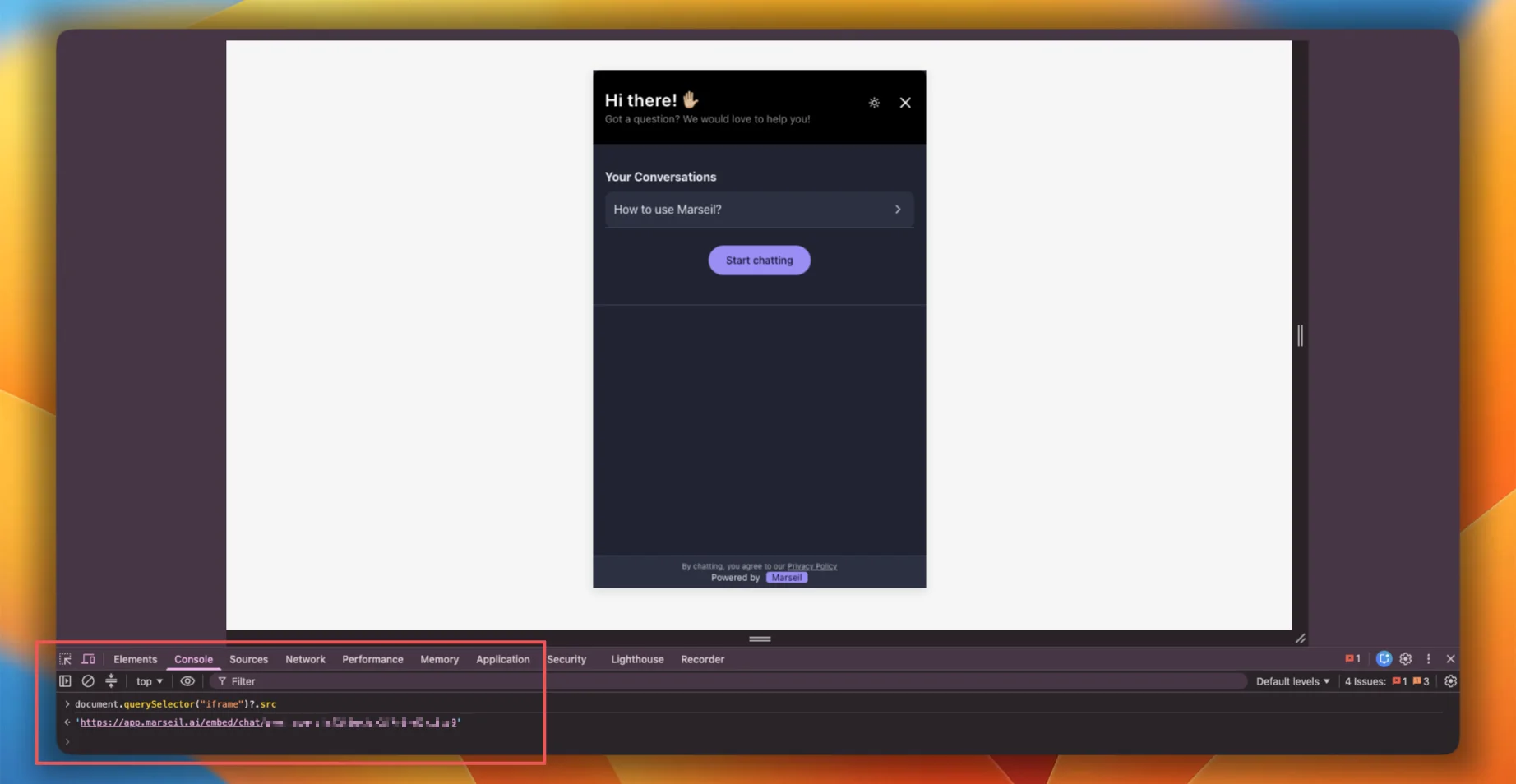
Verify the project ID: In the browser console, run:
document.getElementById("chat-iframe")?.src
The URL should contain your project ID (e.g. /embed/chat/proj_abc123).