Add Confluence as a Knowledge Base
Select Confluence from the available sources and proceed. Confluence integration is in beta — you can select up to 3 spaces per user.
Connecting to Confluence
1. Get Your API Token
Generate an API token at Atlassian Account Security.
Steps:
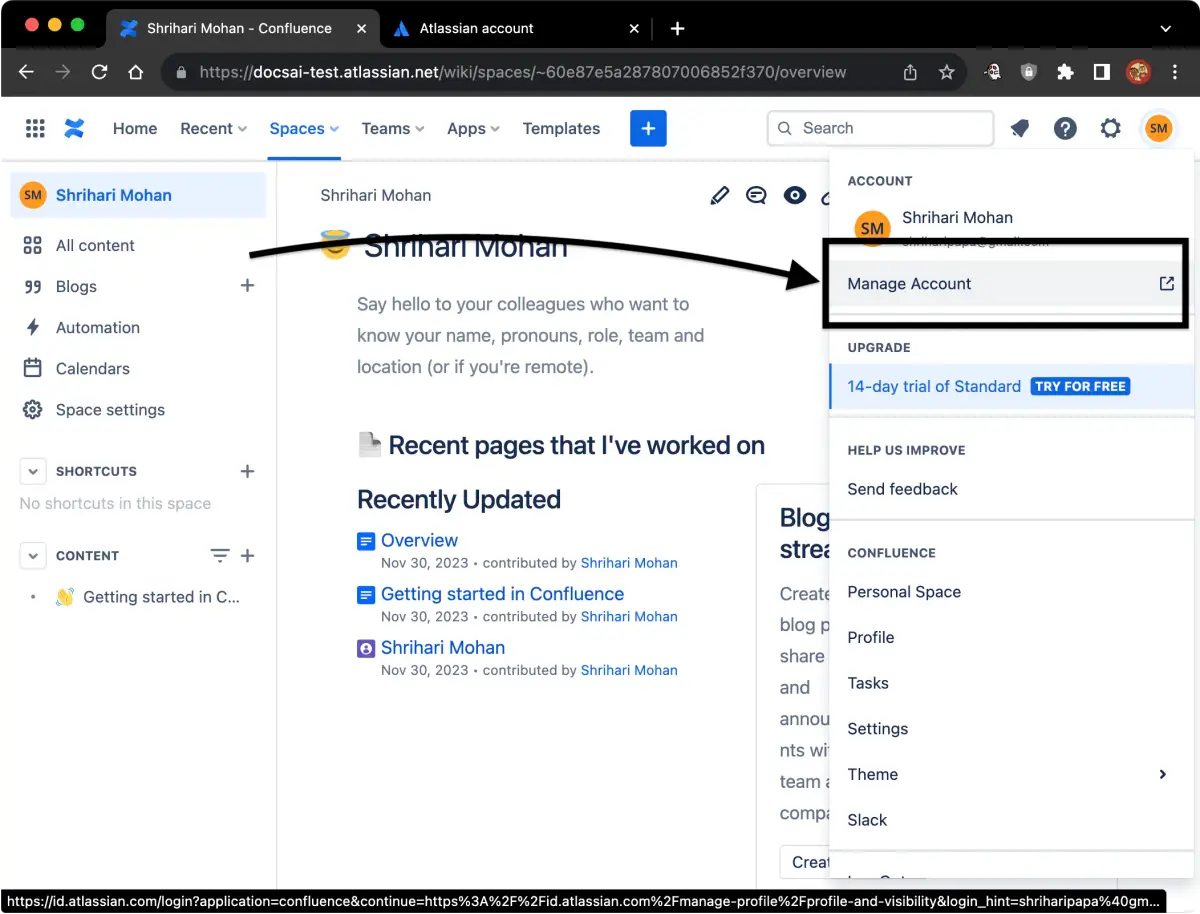
- Click your profile photo in the top bar → Manage Account.
- Go to the Security tab.
- Click Create and manage API tokens → Create API token.
2. Get Your Domain
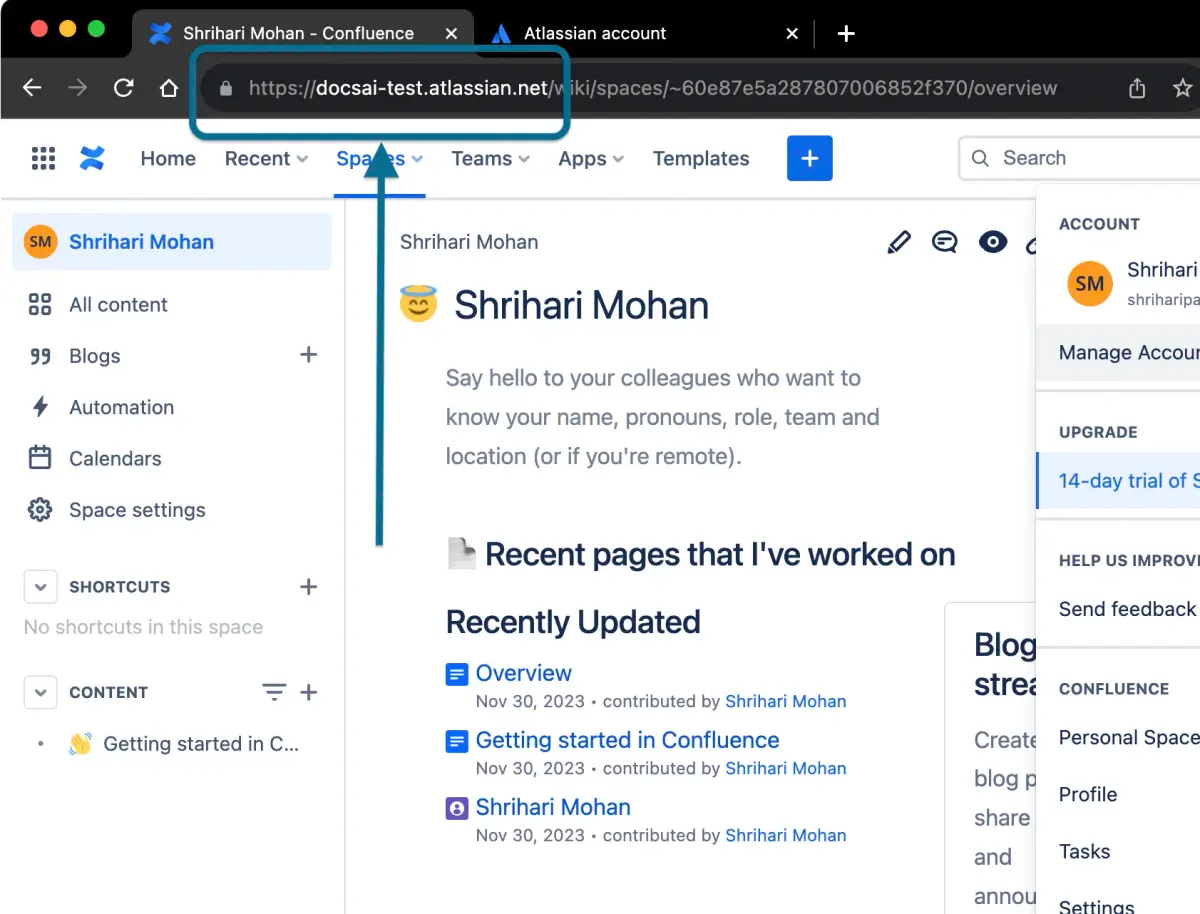
Your domain is the URL before /wiki. For example: https://your-company.atlassian.net/
Note: Include the trailing
/at the end.
3. Account Email
Use the email address associated with your Confluence account (visible after clicking your profile photo).
Selecting Spaces
Search and select up to 3 spaces. Training may take a few minutes. You can leave the page and check back later.
Troubleshooting
Unauthorized error: Your api token or account email is incorrect. Verify your credentials.
Not found error: Your domain is not available. Verify the domain URL (with trailing /).
Data Usage
Marseil AI collects your email and API token to access your Confluence content. We only read page content and never modify it.